What No Humanity Is
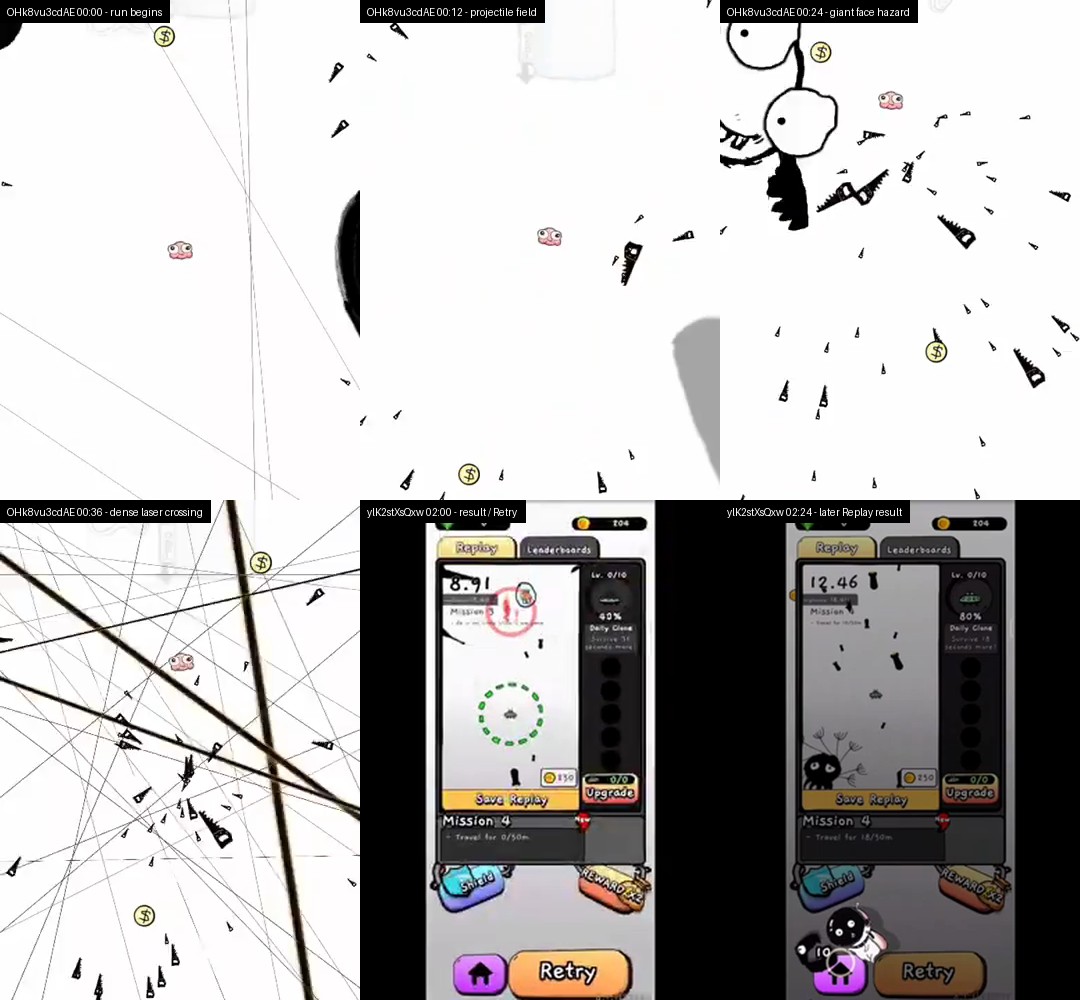
No Humanity is a vertically framed bullet hell survival game in which a tiny pink ship avoids lasers, projectiles, sweeping black shapes, large doodled faces, radial bursts, and other screen-filling hazards. In the reviewed classic footage, the ship does not visibly attack. The objective is simply to remain alive while the timer at the top measures the run in seconds and hundredths.
This page covers the older Unity WebGL release embedded above. Current mobile store versions share the same identity, but later menus, upgrades, multiplayer features, currencies, and platform-specific systems are not automatically part of this browser artifact. The survival advice below is based on visible hazard behavior and retry footage, not on unverified mobile progression.
There is no evidence here for a campaign of fixed levels. The useful unit of progress is a cleaner attempt: reading an early warning, leaving a shrinking lane before it closes, and understanding why a collision happened. A run can end within seconds, while the reviewed high-score recording continues for more than a minute. Neither example establishes a guaranteed difficulty schedule.
How No Humanity Survival Works
- Start a run and identify the largest connected area of empty space around the ship. Do not choose a permanent home position. The arena changes as warning lines, projectiles, giant shapes, and radial patterns enter from different directions.
- Read the telegraph before moving. A thin line can announce where a laser will occupy space, while a large incoming drawing can remove an entire side of the field. Move toward a lane that will remain open after the threat arrives, not merely toward the nearest empty pixel.
- When hazards overlap, solve them by space loss and timing. Leave the region about to be erased by a broad sweep, then make the smaller correction needed for projectiles or crossing lines. After contact ends the attempt, use Retry and name the specific failure before starting again.
Survival Patterns and Failure States
Survival time
The top display increases while the ship remains alive. The observed mode is a time-score challenge, not an ordered set of stages with a visible level-clear screen.
Warning lines
Thin lines and forming beams provide advance information about future occupied space. Read their full path across the arena rather than focusing only on the segment nearest the ship.
Hazard overlap
Hazard overlap occurs when large sweeps, doodled creatures, laser grids, radial bursts, and small projectiles coexist. The dangerous moment is often the intersection between two patterns, not either pattern by itself.
Open-space management
Central or slightly offset lanes usually preserve more exits than a corner. Edge positions can be useful briefly, but staying there allows the next broad pattern to remove every escape direction.
Collision and Retry
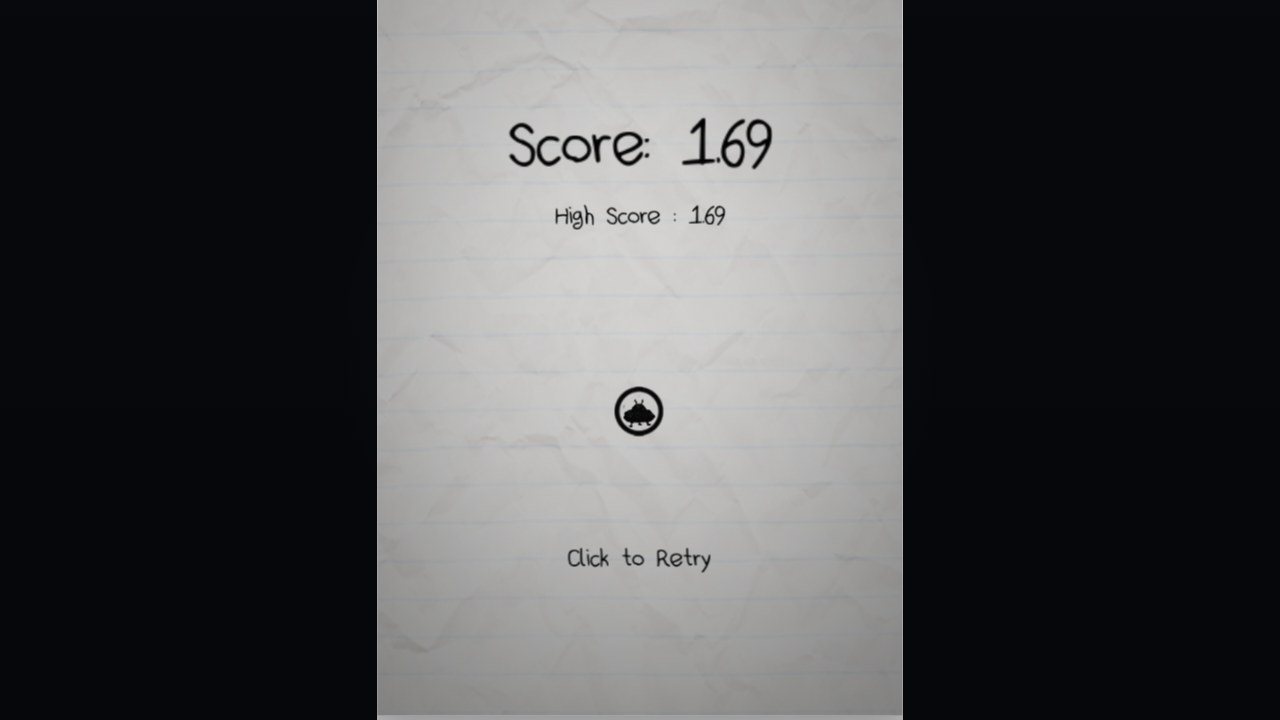
Contact ends the observed attempt and leads to a result or replay state with Retry. Fast restarts make short attempts useful when each one tests a single spacing decision.
Input status
The exact input mapping for this old WebGL build remains unresolved. Generic Unity mouse-axis strings and later mobile footage do not prove mouse, drag, click, touch, or keyboard controls for the embedded release.
No Humanity Survival Guide
Based on the legacy Unity package, a reviewed 66.92-second recording, and separate footage showing repeated result and Retry states. The exact old-WebGL control mapping remains unresolved.
Guide Overview
The strongest public clips emphasize survival time, not level completion. The practical goal is to keep your ship in open space while reading missiles, lasers, and sudden pattern changes early.
The best runs avoid edge panic. Staying near a flexible lane gives you more escape options when the screen adds a new threat.
1. Preserve connected space
At the start of an attempt, look for an area with more than one exit. Slightly off-center space often allows movement in several directions, while a corner converts every incoming sweep into a single-lane escape problem. The goal is not to remain centered; it is to retain choices.
As a pattern passes, reclaim space behind it. A temporary edge dodge is useful only if you leave the boundary before the next attack arrives. Think of the arena as a changing map whose safe regions open and close.
Warning: Camping at the edge makes a later laser grid or giant drawing dangerous before it even reaches the ship.
2. Read warning lines as future walls
Thin telegraphs should be interpreted across their full length. Identify which side of the line will remain connected to the rest of the arena, then relocate before the beam becomes active. Waiting until the final visual change turns a planned move into a panic move.
When several warning lines cross, locate the largest cell created by the intersection rather than threading toward the smallest nearby gap. A wider cell gives time to handle the next projectile family.
Warning: Staring directly at the ship can hide a warning that begins near the opposite edge.
3. Prioritize the hazard that removes the most area
Hazard overlap is the core survival problem. A giant black sweep or large doodled face can erase half the field, while small projectiles threaten only narrow paths. Move out of the broad removal zone first, then make a precise correction for the smaller threat.
Radial bursts reverse that priority when the ship begins near their center: distance from the source may matter immediately. Judge each overlap by time to impact, area removed, and whether the remaining lane has another exit.
Warning: A dramatic dodge that solves one pattern can cross the full path of a quieter projectile stream.
4. Move only as far as the next safe state requires
The reviewed footage supports continuous repositioning but does not reveal the browser input method. Whatever mapping the build presents, use controlled displacement rather than crossing the arena without a visible destination. Stop once the ship reaches a lane that survives the current pattern.
Small corrections preserve visual understanding. Long movements force you to predict hazards that may not have entered the field when the motion began, and they make it harder to reverse if a second attack appears.
Warning: This is spacing advice, not a claim that the old WebGL build uses taps, drags, mouse following, or keyboard movement.
5. Treat the timer as feedback, not a destination
Survival time records how long the attempt lasted, but checking the changing number does not improve the next decision. Use the timer after a run to compare consistency. During play, scan the perimeter and the space one move ahead of the ship.
A longer run will naturally expose denser-looking combinations. The evidence does not establish a fixed difficulty curve, so prepare for the visible attack rather than expecting a particular hazard at a remembered second.
Warning: The 66.92-second video title is a historical uploader claim, not proof of a current world record.
6. Convert failure into one Retry objective
When contact ends the run, pause on the result long enough to identify the cause: missed warning line, corner trap, crossing movement, late response to a broad sweep, or an overlap you ranked incorrectly. Press Retry with one correction in mind.
Short failures are still useful if they isolate a decision. Repeating the attempt without naming the mistake tends to reproduce the same movement. The survival loop becomes productive when each restart tests a clearer reading rule.
Warning: Do not use later mobile upgrade screens to explain a browser failure; those systems were not verified in this old export.
Reviewed Play Evidence
Common Survival Mistakes
- Do not chase the timer with your eyes. The score changes continuously, but a warning line that appeared at the edge determines whether the next second is survivable.
- Do not flee a large hazard with one uncontrolled sweep across the arena. That movement can cross several smaller threats whose paths were safe before the panic move began.
- Do not assume a familiar-looking sequence is technically random or fixed. React to the visible field; the reviewed evidence does not establish the generation algorithm or exact spawn order.
- Do not remain in a corner after the pattern that sent you there has passed. Recover toward connected open space before another broad shape overlaps the boundary.
- Do not import expectations from current mobile versions. Upgrades, menus, and other later features seen in mobile footage are outside the verified scope of this legacy browser build.
Browser Notes
This is a legacy Unity WebGL export. Its runtime expects WebGL and HTTP hosting, warns that file-URL loading may fail, and names Firefox, Chrome, and Safari as preferred browsers of its era. The wrapper uses a 525 by 725 canvas and may take time to initialize.
The exact control mapping for the old browser release could not be established from first-party instructions or direct evidence. Click the game area if focus is needed, then follow any prompt the build itself presents. This page does not claim keyboard controls, pointer-follow movement, click-and-drag control, touch support, fullscreen UI, or persistent high-score saving.
Game Credits
- SweatyChair Studio / SweatyChair Pty. Ltd.: confirmed developer and studio identity.
- Richard Fu: named in the local page author metadata.
Credits & Fan Site Disclaimer
This is an unofficial fan-operated survival guide based on reviewed footage and the local legacy WebGL package. It is not affiliated with, endorsed by, or sponsored by SweatyChair Studio.
No Humanity is not described here as fan-made. The fan-operated label applies only to this informational website.
No Humanity FAQ
What is the objective in No Humanity?
Keep the small ship alive while hazards fill the arena. In the reviewed classic mode, elapsed survival time is the score.
What are the controls for the old No Humanity WebGL build?
The exact mapping remains unresolved. Generic Unity input strings and mobile recordings are not enough to publish a reliable mouse, touch, or keyboard instruction.
Does No Humanity have a fixed level walkthrough?
No ordered campaign was verified for this build. The public evidence supports a repeating survival-and-retry loop rather than a list of completed levels.
Are the hazards randomly generated?
The visible sequences vary, but the reviewed evidence does not establish a random or procedural generation system, so this guide makes no technical claim about spawning.
What should I practice after a quick failure?
Identify whether the run ended through a missed warning line, an edge trap, a large panic movement, or two hazards overlapping, then use Retry to practice that specific decision.