What Unraveled Is
Unraveled is a browser interactive-fiction project written and developed by Xiibii. The current public title is Unraveled, while the mirrored Twine package retains the older/internal build title Dead by Daylight: Unraveled. Keeping those labels separate matters: the public page and heading use the current name, and the older wording describes the local build identity rather than a second game.
The story runs on SugarCube 2.37.3 and contains structured menus, settings, character creation, branching passage links, Journal records, Inventory tracking, achievements, relationship and romance affinity, a Corruption bar, saves, and story-tagged autosaves. It is an interactive reading system, not an asymmetrical multiplayer match or an action-game simulation.
Local intermissions confirm Chapters 1 through 5. Intermission 5 displays Next Chapter Coming Soon..., so the available evidence ends there. This guide focuses on setup, interface systems, save discipline, and choice comparison without summarizing long plot passages, publishing branch-by-branch story text, or claiming final outcomes that the mirror does not contain.
How Unraveled Works
- Choose New Game and review the sexual-content warning. Enable and Disable both continue into the Prologue; the setting controls optional sexual themes rather than acting as a route-selection gate.
- Complete the character setup and customization fields. The local systems support avatar presentation, name, pronouns, sexuality, profile details, and later settings changes, so check the profile before committing to extended reading.
- Read each passage and activate the displayed links or image choices. A branch can change conditional dialogue, affinity, inventory records, achievements, or later available text even when it does not immediately announce a result.
- Use Journal, Character, Inventory, and the broader menu to inspect accumulated state. The interface also exposes Latest News, Help Page, Credits, Fullscreen, Fanart, Saves, Restart, and Settings.
- Create a manual save before comparing major choices, while allowing the story's autosaves to provide additional recovery points. Continue through the chapter intermissions until Intermission 5 marks the next chapter as coming soon.
Controls
- Pointer or touch: Activate passage links, image choices, menu buttons, character fields, save controls, and settings with a pointer or touch input.
- Text entry: Use the browser keyboard when customization asks for a name or other profile text.
- Fullscreen: Open Fullscreen from the story menu when a larger reading area is useful. No keyboard shortcut set was verified.
Character, Choice, and Progress Systems
Content preference
The opening warning allows optional sexual themes to be enabled or disabled, and the preference remains available through customization or settings. Both opening selections lead onward rather than ending the session.
Character customization
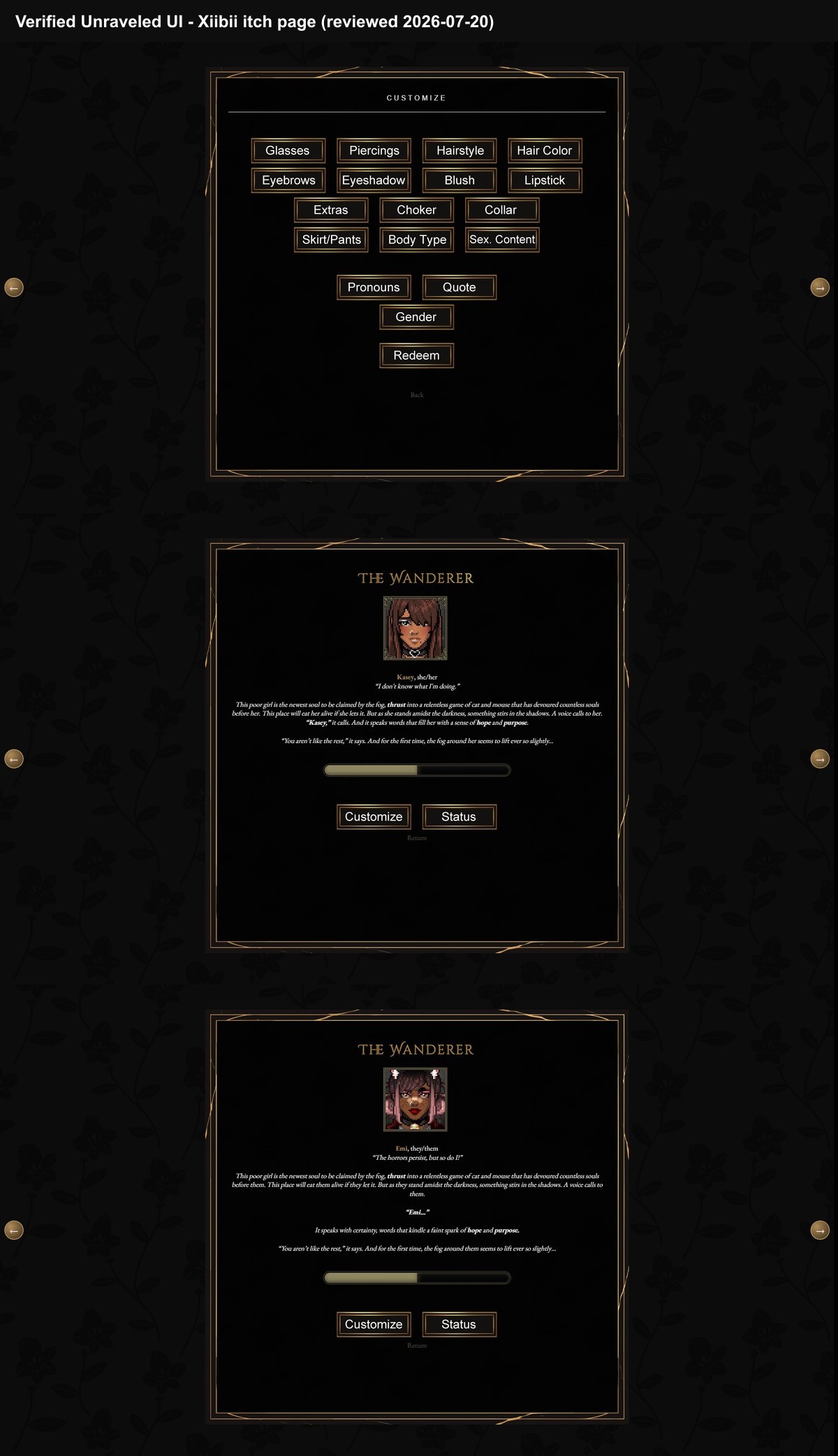
The build supports avatar and profile presentation, including name, pronouns, sexuality, and related setup choices. Reviewed imagery confirms a Customize category page and Character overview pages, not every internal screen.
Character and Status data
The local Help Page and passages establish a Character area, a Status page, a Corruption bar, and relationship or romance affinity. The analysis image shows Status buttons but does not show the Status page open, so detailed status claims come from structured story data rather than the screenshots.
Journal
Journal and paper passages record discovered material and chapter updates. Use them as an in-story reference instead of trying to preserve every clue from memory.
Inventory
The Inventory passage prints tracked items from the story variable and passages can add items conditionally. This is narrative item tracking, not evidence of a combat inventory or equipment build.
Achievements
Named achievement passages and intermission awards confirm achievement tracking. Conditional awards can provide feedback that a branch or chapter condition was recognized without revealing every consequence.
Affinity and Corruption
Relationship or romance affinity and Corruption are documented by the built-in Help Page. The exact formulas and final thresholds are not published here, so treat visible changes as state feedback rather than an ending calculator.
Chapter boundary
Five Chapter-Start passages and five Intermission passages are present. The fifth intermission closes the confirmed material with a coming-soon notice instead of a final ending sequence.
Unraveled Interactive Fiction Systems and Choice Guide
Based on structured parsing of the local SugarCube story, its menus and help text, five confirmed chapter/intermission pairs, and reviewed customization and character-overview screenshots.
Guide Overview
The safest way to explore branches is to preserve state at meaningful boundaries and compare what the interface records. A choice may affect later dialogue, Journal entries, Inventory, affinity, Corruption, or achievements without offering a simple success label on the same passage.
This guide stops at the confirmed content boundary after the fifth intermission. It explains how to organize choices without retelling long scenes, mapping every relationship route, or asserting final outcomes.
1. Configure content and character presentation
Start with the optional sexual-content decision, then complete the profile and avatar setup. Because both content choices continue to the Prologue, select the reading preference you want rather than treating the warning as a hidden route test.
Review the Character overview after setup. The screenshots confirm customization categories, portrait presentation, overview bars, and access buttons, while the structured data supplies the broader profile and status systems.
Warning: Do not claim that the screenshots display an opened Status page; they show only the overview and its Status buttons.
2. Establish a two-save comparison pattern
Keep one stable save at the beginning of a chapter or immediately after an intermission. Use another slot before a choice whose consequences you want to compare. SugarCube also supplies autosaves, but a deliberate manual boundary is easier to recognize later.
When loading an alternative, compare the surrounding dialogue and the interface state instead of expecting a single route score. The story can update conditions across later passages.
Warning: Intermission 3 contains an outdated-save check, so heed any instruction to restart rather than forcing an incompatible old state forward.
3. Read the menu as a state dashboard
Journal organizes discovered records and chapter updates. Inventory prints conditionally collected items. Character and its related data expose profile, relationship or romance affinity, and Corruption information, while Achievements records recognized milestones.
Check these systems after a consequential branch or intermission. A new record, item, bar change, or achievement can provide stronger evidence of state than trying to infer everything from one paragraph of narrative wording.
Warning: Inventory tracking does not establish weapons, combat slots, or an equipment optimization system.
4. Compare choices without inventing formulas
Before selecting a branch, identify the likely category of consequence: relationship, profile expression, item acquisition, Journal knowledge, Corruption, or optional content. After reading the result, inspect only the relevant state surfaces instead of searching every menu after every minor link.
If the consequence remains delayed, preserve the save and continue until the next clear menu update or intermission. The presence of affinity and Corruption proves tracked variables, but the evidence does not justify exact thresholds or a complete outcome calculator.
Warning: Do not publish exhaustive branch instructions or claim that one visible bar determines a final result.
5. Respect the confirmed endpoint
The structured story contains Chapter-Start and Intermission passages for Chapters 1 through 5. Intermission 5 presents Next Chapter Coming Soon..., making it the verified stopping point for this mirror.
Use the fifth intermission to review saves, Journal records, Inventory, achievements, and character state. Do not reinterpret a coming-soon notice as a hidden ending or fill the gap with data fragments that are not demonstrated as playable.
Warning: This is a systems and choice guide for currently confirmed material, not a final route catalogue.
Choice and Save Mistakes
- Do not use standard Dead by Daylight match strategy to interpret this interface. Progress comes from reading, links, variables, and menu state rather than perks, generators, chases, or combat controls.
- Do not overwrite every save with the latest passage. Keep one stable chapter or intermission save and a separate slot for the branch currently being tested.
- Do not assume an item is combat equipment. Inventory evidence supports scavenged or conditional narrative items only.
- Do not infer a final route from affinity or Corruption alone. Their presence is confirmed, but complete thresholds and final outcomes are outside the available endpoint.
- Do not continue an old save blindly if the story warns it is outdated. Intermission 3 contains a specific outdated-save check that asks the player to restart.
Browser Notes
The story is a JavaScript-driven Twine and SugarCube page. Its generated initialization screen includes explicit messages for disabled JavaScript or unsupported browser capabilities, so scripting must remain enabled.
SugarCube provides save/load, restart, settings, export/import, and disk controls, while the story also marks autosave passages. Browser storage can still be cleared externally, so an exported save can be useful before browser maintenance.
Settings cover BGM enabled state and volume, font choice, text size, and the sexual-content preference. The mirror contains many referenced media files but also records failed asset fetches, so this page does not guarantee that every image or audio cue loads in every session.
Game Credits
- Xiibii - writer and developer
- MalibuDarby, also credited as VexedEnigma / PixelJustice - base survivor portrait pieces
- Xiibii - additional portrait pieces and splash art
- Fan Endey / KingAsmodeusArt - banner and status art
- Behaviour Interactive - original Dead by Daylight property, as stated by the local disclaimer
Credits & Fan Site Disclaimer
This is an unofficial fan-operated page created for game information, discussion, and independently reviewed interactive-fiction guidance.
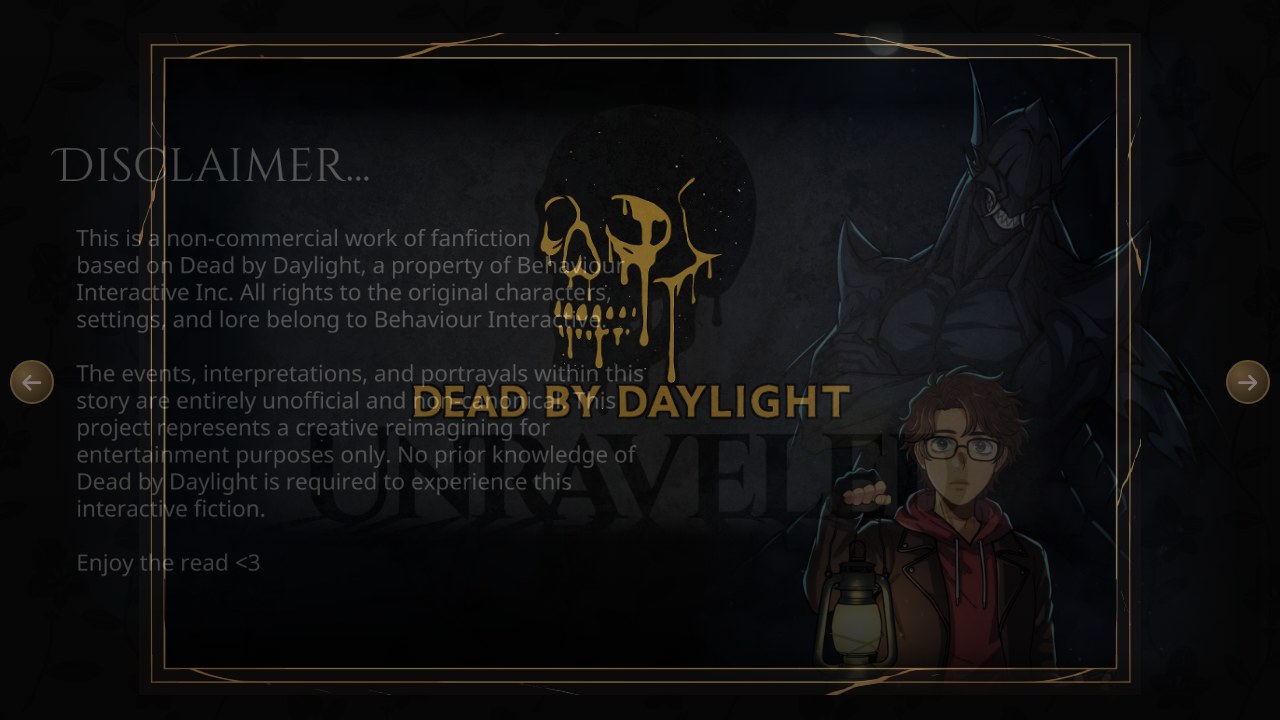
Unraveled is a non-commercial work of fanfiction written and developed by Xiibii. Dead by Daylight belongs to Behaviour Interactive; this website and the story project are unofficial and non-canon.
Unraveled FAQ
Why does the local build use a longer title?
The current public title is Unraveled. Dead by Daylight: Unraveled is retained only as the older/internal build title in the mirrored Twine data.
How much of the story is confirmed here?
The local intermissions confirm Chapters 1 through 5. Intermission 5 says Next Chapter Coming Soon..., so this guide does not claim later playable material or final outcomes.
Can optional sexual themes be disabled?
Yes. The opening warning offers Enable and Disable, and both choices continue to the Prologue. The preference is also available later in settings or customization.
What does the Inventory track?
It tracks items added by story passages and conditions. The evidence supports narrative item logging, not combat equipment.
How should I compare choices?
Keep a stable save near the start of a chapter or intermission, make a second save before the choice, and compare visible dialogue, Journal, Inventory, affinity, Corruption, or achievement changes.
Is Unraveled official Dead by Daylight fiction?
No. The local disclaimer describes it as unofficial, non-commercial, non-canon fanfiction, and this is an unofficial fan-operated guide page.