What NASUBI Is
NASUBI is a first-person psychological endurance simulation set inside an almost empty room. The first-party description frames the player as a participant in a controversial television experiment, stripped of personal possessions, supplies, and ordinary human contact. An analog rotary phone is the one stated connection to the outside world. That narrow setup makes observation more important than exploration across a large map.
FunB4nan and st1sdan describe the game as inspired by the late-1990s Japanese program Susunu! Denpa Shōnen. The browser build visibly opens with that inspiration notice before entering the Godot game. This page treats the game as fiction inspired by a real television premise; it does not present its events as a documentary reconstruction or claim that every mechanic reproduces a historical incident.
The public release is still marked in development. It supports HTML5 and Windows, lists keyboard and mouse input, English and Russian, subtitles, and an interactive tutorial. The creators recommend the downloadable desktop build for better performance. The embedded edition here is therefore useful for immediate browser play, but performance and input capture may differ from the desktop package.
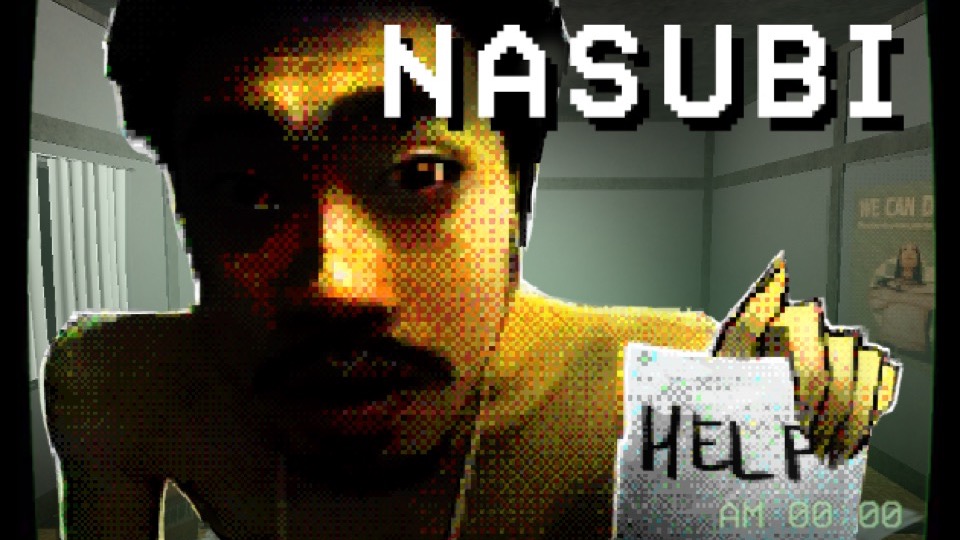
NASUBI Beginner Guide
- Click Play and wait through the opening notice and Godot loading sequence. Click inside the game area before moving so the browser gives pointer and keyboard focus to the embedded runtime.
- Use WASD to orient yourself before interacting. Scan the room slowly, note the phone and any object that produces an interaction prompt, and avoid assuming every prop can be collected or used.
- Press E only when the game presents a useful target. The room is intentionally sparse, so a changed object state, new sound, prompt, or phone event may be more meaningful than physical distance traveled.
- Use C to crouch when the tutorial or object height makes it relevant. ESC pauses or resumes the build; it is also the safest first response when pointer capture or the current view feels unclear.
- Treat each new event as evidence. Recheck the phone, readable material, and the immediate room after a transition instead of inventing a fixed sequence from an earlier attempt.
Controls
- Move: Use WASD. This mapping is stated directly on the first-party page.
- Interact: Press E when an interactable object or prompt is in view.
- Crouch: Press C to change stance where the tutorial or object placement requires it.
- Pause or resume: Press ESC. If the embedded game has captured the pointer, pausing can help you regain context.
- Mouse: The release lists mouse input, and the first-person presentation uses pointer focus. Exact secondary-button behavior is left to the current in-game prompts.
Verified Systems and Evidence Boundaries
Isolation premise
The empty room, absence of possessions and provisions, and lack of human contact are creator-stated parts of the simulation. The page does not invent exact hunger, health, or sanity formulas.
Rotary phone
The creator identifies the analog phone as the sole connection to the outside world. Treat calls and phone-adjacent information as central signals, without assuming an undocumented dialing solution.
Room observation
A compact environment shifts attention toward prompts, sounds, readable items, and changed states. Object names alone are not proof of a required route.
Development status
The current release is in development, so mechanics, pacing, bugs, and the ending may change. Comments about older attempts are not treated as guaranteed behavior in the embedded build.
Tutorial support
The first-party accessibility metadata lists an interactive tutorial and subtitles. Follow current on-screen directions when they conflict with an older screenshot or community comment.
Careful First-Run Tips
- Let the opening and loading screens finish before diagnosing a black screen. The browser export may take longer than the surrounding page.
- Read the current prompt before clicking. A community report mentions inconsistent return-button labels, but that report is not enough to publish one universal mouse instruction.
- Do not assume a stuck door or object is a puzzle solution. The public comments include bug reports, and the developer still labels the release in development.
- Keep audio and subtitles available. In a sparse room, a call, sound cue, or text change can carry more information than movement.
- If mouse look stops after clicking outside the frame, pause, click back inside, and follow the build’s focus behavior before restarting.
Browser Notes
The HTML5 runtime is served from the local game-assets mirror recorded in this repository. The mirror keeps the original itch iframe URL in mirror-meta.json for provenance.
The creator explicitly recommends the desktop build for better performance. This page does not promise identical frame rate, pointer capture, loading time, or bug behavior between the web and Windows releases.
No mobile input is listed. A phone may display the iframe, but this page does not claim touch controls or a mobile-optimized layout for the game itself.
Game Credits
- FunB4nan and st1sdan - credited authors.
- Kuwagata - credited for the game icon.
- The first-party page states that sounds come from source games and Freesound; individual sound ownership is not reassigned here.
Credits & Fan Site Disclaimer
This is an unofficial fan-operated information page. It is not affiliated with, endorsed by, or sponsored by FunB4nan, st1sdan, the hosting platform, or the referenced television program.
NASUBI and its game assets remain the property of their creators and respective rights holders. The playable frame uses a local mirror of the public web build for reliability.
NASUBI FAQ
What are the NASUBI controls?
Use WASD to move, E to interact, C to crouch, and ESC to pause or resume. The release also lists mouse input.
Why does NASUBI begin in an empty room?
The creator describes the game as a psychological endurance simulation about a television participant isolated without belongings, provisions, or human contact.
What is the rotary phone for?
The first-party description calls it the player’s sole connection to the outside world. This guide does not invent undocumented dialing combinations.
Is the browser build finished?
No. The public page marks the game in development and recommends the desktop build for better performance.
Is this the official NASUBI website?
No. This is an unofficial fan-operated page embedding the creator-hosted browser build.