What The Mysterious House Is
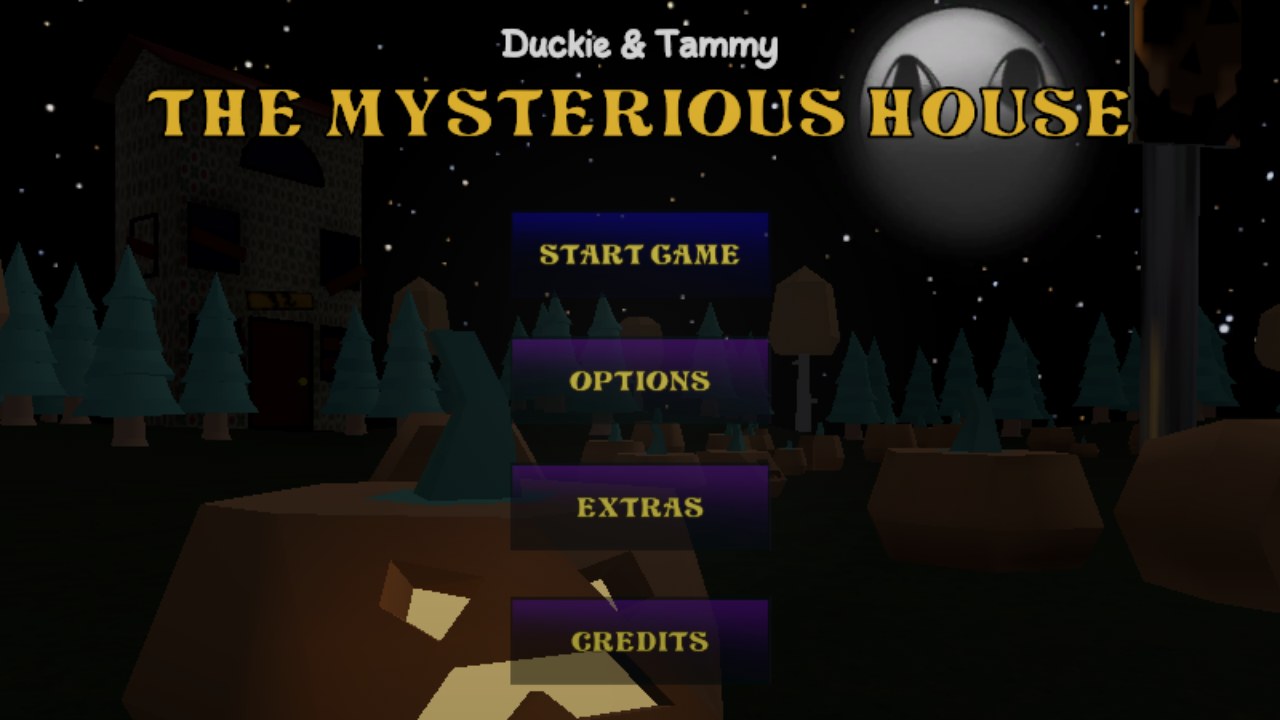
The Mysterious House is a short first-person horror game by XenoChronic and Aps84. Tammy and Duckie encounter a strange final house while trick-or-treating on Halloween, and the playable sequence moves between a nighttime street, unsettling interiors, dialogue scenes, and conspicuous objects that invite inspection. The creators describe the project as a walking-simulator-style horror game with puzzle-solving elements and a VHS or CRT presentation.
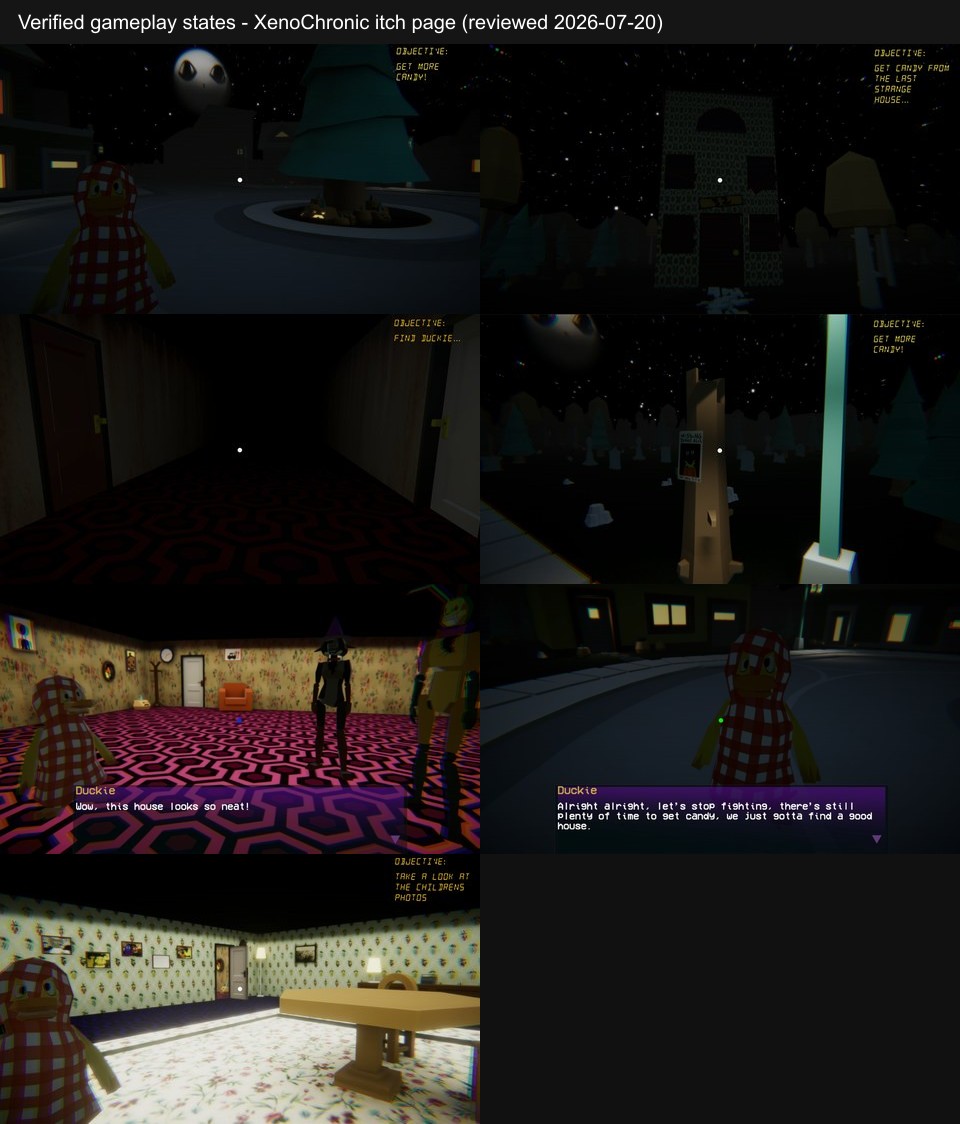
The available evidence supports an exploration guide rather than an ordered solution. Reviewed screenshots show changing objective text, multiple indoor and outdoor locations, Tammy and Duckie speaking, a search for Duckie, and unusual displays such as a room directing attention toward children's photos. Those images establish objectives and puzzle observation, but they do not reveal every room, every interaction result, or the sequence that leads to the ending.
The public release estimates roughly thirty minutes, but that is a creator estimate rather than a guaranteed completion time. A first attempt may be slower if you stop to read dialogue, revisit a changed area, or examine environmental details. This page therefore explains how to read the game's objective and visual language without publishing a complete route, puzzle answer list, collectible checklist, or ending description.
How The Mysterious House Works
- Read the current objective before moving far. The reviewed states include goals about collecting more candy, visiting the last strange house, and finding Duckie. Objective text is the most reliable statement of what the present scene expects.
- Use WASD to move through the street, house, and other visible areas. Hold Shift when you need to sprint, but slow down when entering a room so you can notice dialogue, signs, photographs, doors, and objects placed apart from ordinary scenery.
- Press E when an object or scene supports interaction. Do not assume every decoration is usable; instead, compare the objective with the room layout and prioritize objects that are visually isolated, brightly presented, framed by text, or connected to a recent conversation.
- After dialogue or an interaction, check the objective again and look back at the space you just crossed. Horror scenes can change context without presenting a conventional quest log, so a familiar corridor or outdoor area may carry a different purpose on the return trip.
- When progress is unclear, revisit the latest meaningful location rather than trying random inputs. The evidence supports observation, exploration, and interaction, but it does not support guessed lock combinations, an inventory procedure, or a universal puzzle format.
Controls
- WASD: Move through the first-person environments using the verified directional keys.
- Shift: Hold Shift to sprint. Use the extra speed for traversal, then release it when entering a visually dense room or approaching an objective.
- E: Press E to interact with supported objects, dialogue triggers, or scene elements. No jump, pause, controller, or mouse-look mapping is added here because those controls were not verified for this exact build.
Objectives, Dialogue, and Observation
Changing objectives
Short objective lines identify the immediate task. Reviewed examples cover gathering candy, approaching the final strange house, and finding Duckie, so re-reading the objective is more dependable than treating the whole experience as one continuous house search.
Tammy and Duckie
The two children anchor the Halloween setup and the visible dialogue scenes. Track who is present before and after a transition; a missing companion can become the reason to re-examine an area.
Indoor and outdoor exploration
Evidence shows streets, a graveyard or outdoor object area, corridors, patterned rooms, and brighter interior displays. These states confirm movement across different spaces without proving an exact room count or fixed map order.
Conspicuous objects and displays
Large text, photographs, telephone-like objects, and unusually staged room elements are stronger observation targets than generic scenery. Their presence supports puzzle-like inspection, but the evidence does not establish one answer for every object.
Horror escalation
The public description and reviewed imagery support a growing horror tone. No in-game death, chase, restart, or failure state was verified, so tension should not be converted into claims about enemies or lives.
The Mysterious House Puzzle Observation and Exploration Guide
Based on the matching public release, local Unity package metadata, the verified WASD, Shift, and E controls, and seven reviewed gameplay screenshots. No ordered solution source was available.
Guide Overview
The reliable unit of progress is the current objective plus the scene directly around it. Screenshots show the game moving from a candy task to the strange house and later to finding Duckie, which means the player should expect purpose to change between locations rather than carry one assumed goal through the whole experience.
This method stays deliberately non-spoiler and evidence-limited. It helps identify where to look and how to respond to a changed scene, but it does not name a final puzzle answer, enumerate every room, or describe the ending.
1. Anchor every search to the objective
Pause long enough to read the objective before crossing the street or entering a corridor. A candy request suggests scanning reachable houses or outdoor interaction points, while a request to find Duckie changes the task into tracking a character through spaces that may already look familiar.
When the text updates, mentally discard the previous search plan. The new line is evidence that a trigger has advanced, and repeatedly checking an old object can waste time while the relevant room, person, or path has changed.
Warning: Do not turn screenshot order into an asserted route; the reviewed states confirm objectives but not every transition between them.
2. Separate navigation landmarks from interaction targets
Use doors, patterned walls, bright rooms, outdoor structures, and corridor shapes to remember where you are. Then identify the smaller set of elements that look intentionally staged: isolated props, large written instructions, photographs, or objects placed at the center of a scene.
This distinction prevents two opposite mistakes. Ignoring all scenery can hide a deliberate visual cue, while pressing E beside every surface makes it difficult to notice which interaction actually changed the objective or dialogue.
Warning: No complete list of usable objects was verified, so the guide cannot label every visible prop as a puzzle component.
3. Track Tammy and Duckie across transitions
Dialogue and character presence provide another form of state. Before leaving an outdoor exchange or interior conversation, notice whether Tammy and Duckie are together, whether one has moved, and whether the next objective names a character directly.
If Duckie is absent and the objective asks you to find him, search from the most recent shared location outward. Use known corridors and landmarks first instead of assuming a distant unvisited room must be correct.
Warning: The evidence supports a search for Duckie but not an exact path, encounter order, or final location.
4. Revisit rooms after meaningful triggers
An interaction, dialogue exchange, or objective update can make a previously ordinary space relevant. Return through the nearest known route and compare the room with what you remember: a display may be brighter, text may direct attention, or a character may now occupy a different position.
The children's-photo display is a strong example of visual direction. Its large instruction makes observation itself part of the scene, but the screenshot does not prove what happens after inspection. Treat it as a prompt to look carefully, not as evidence for a claimed answer.
Warning: Do not publish an outcome for a conspicuous object unless the source also shows the result of interacting with it.
5. Recover from uncertainty without guessing
If E produces no useful change, step back and verify three things: the objective, the last completed conversation, and the nearest room with a deliberately framed object. Move with WASD, use Shift only for known stretches, and slow down at entrances where a trigger may fire.
A second pass should be comparative rather than random. Ask what changed since the last visit, which character is missing, and which object now aligns with the objective. That process produces useful observations even when the complete route is unavailable.
Warning: Random combinations, invented inventory steps, and assumed death or restart rules are outside the verified evidence.
Exploration Mistakes to Avoid
- Do not describe the experience as a solved escape route. The reviewed material confirms several states and objectives, not the complete order connecting them.
- Do not sprint through dialogue triggers or rooms with large text. The clearest puzzle-observation evidence appears in staged displays that are easy to miss when moving continuously.
- Do not invent an interaction from genre convention. Use E on supported scene elements, but avoid assuming that every door, photograph, or graveyard object has a verified function.
- Do not promise a fixed thirty-minute finish. Treat the published duration as an estimate that depends on reading pace and exploration.
Browser Notes
The embedded release is a Unity WebGL build with a 960 by 600 canvas, a loading bar, and a fullscreen control. Wait for the Unity instance to finish before sending movement input, then click the player if the browser has retained focus outside the canvas.
The wrapper explicitly states that mobile WebGL is unsupported. This page does not claim touch controls or reliable phone play even if a mobile browser can display the surrounding website.
A 2026-07-20 browser smoke test initialized the Unity scene. It confirms startup only and does not confirm a complete route, full playthrough, every puzzle interaction, a failure state, or the ending.
Game Credits
- Corrado Sitzia (Aps84) - developer
- Riccardo Porcu (XenoChronic) - developer and level design
- Daphnee Demuru (ppasce), Riccardo Porcu, and Kevin Huang (kkaihu) - modeling, art, and 2D graphics
- Marco F. - sound effects
- Martin Walls - credited inspiration on the public release page
Credits & Fan Site Disclaimer
This is an unofficial fan-operated page created for game information, discussion, and independently reviewed exploration guidance.
The Mysterious House and its original assets belong to XenoChronic, Aps84, and the respective rights holders. This website is not affiliated with, endorsed by, or sponsored by the game's creators.
The Mysterious House FAQ
Is this a complete The Mysterious House solution?
No. The verified material supports a puzzle-observation and exploration guide, but not an ordered route, every puzzle answer, or the ending.
What controls are confirmed?
Use WASD to move, hold Shift to sprint, and press E to interact. Other mappings were not verified for this exact Unity build.
Who are the central characters?
The visible Halloween setup follows Tammy and Duckie as they approach a strange final house while trick-or-treating.
What should I do when progress is unclear?
Read the current objective again, return to the latest meaningful room or conversation, and inspect conspicuous objects before testing unsupported actions.
Does the browser version support phones?
The Unity wrapper says mobile WebGL is unsupported, so this page recommends a desktop browser and does not promise touch play.
Is this the official website?
No. This is an unofficial fan-operated page with independently written information and exploration guidance.