What JEEP HORROR Is
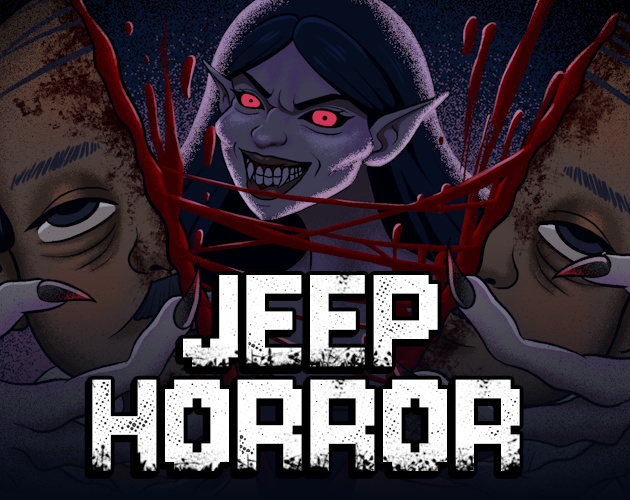
JEEP HORROR is a work-in-progress Philippine night-shift management and horror game by Neuroticfly Games. The browser build places the player inside an illustrated jeepney cabin, where route progress is represented through stops, passenger transitions, interface commands, and reports rather than free-steering vehicle simulation.
A shift combines ordinary conductor work with anomaly screening. Legitimate riders request destinations, present money, expect correct change, and react to questions. Suspicious riders may show duplicated identities, altered faces or behavior, apparitions, or violent threat scenes that require inspection and reporting.
The current browser version is experimental and WIP. A planned Steam release has a broader future scope, but this page does not treat announced routes, monsters, or features as already present. The mirrored build also contains gore and illustrated violent deaths, so players who avoid that material should not begin a shift.
How a JEEP HORROR Night Shift Works
- Choose a tutorial or available route from Area Selection. The lower route bar and passenger transitions advance the shift between stops without manual road steering.
- Process each passenger by checking the cabin, reading their request, asking relevant questions, and reviewing origin, destination, and fare information. Avoid unnecessary interrogation because satisfaction can fall.
- Accept or reject payment through the fare panel and give change with the displayed denominations. Keep the fare calculation separate from anomaly suspicion: a strange rider can still present a normal-looking payment interaction.
- Consult the monster reference book when a passenger matches a documented warning pattern. Use the phone/report flow when the evidence supports reporting rather than reacting to one ambiguous detail.
- Continue until the route resolves. A successful shift reaches END REPORT - You Survived!, which summarizes reported passengers, fare, satisfaction reward, and total progression.
Controls
- Pointer interface: Click Area Selection, passenger actions, dialogue questions, fare acceptance, change denominations, the monster book, report phone, and route commands.
- Cabin inspection: Use the clickable passenger and rear-cabin views to compare riders and visible anomalies before making a report decision.
Passengers, Fares, and Threat Systems
Area and stop flow
Area Selection begins a route, while the cabin view, progress bar, and new-passenger transitions represent travel. This is point-and-click route management, not manual steering.
Passenger questions
Dialogue choices cover destination, payment, identity or background, and suspicious behavior. Questions can gather evidence, but excessive or poor interaction can reduce satisfaction.
Fare and change
The fare panel shows trip information and value. The player accepts or rejects payment and can return change using visible denominations; exact economic formulas remain unverified.
Satisfaction
Satisfaction reflects passenger treatment and contributes to the route-end reward. Wrong fare decisions and poor interaction can reduce it, although every modifier is not documented.
Monster reference book
The book or monster list provides threat information that can be compared with passenger appearance and behavior. It supports deliberate screening instead of guessing from atmosphere alone.
Reports and failure
The phone/report sequence asks whether to report a passenger. Correct reports can catch threats; mishandled anomalies can lead to violent failure scenes, but the exact checkpoint structure is unknown.
JEEP HORROR Night Shift Survival Guide
Based on first-party WIP information, the local Godot package, and reviewed long-form gameplay showing fare processing, a crowded suspicious cabin, the monster reference book, and the survival end report.

Guide Overview
The survival problem is administrative as much as horrific. Every rider creates several decisions: whether the trip and payment make sense, which questions are justified, whether satisfaction is being damaged, and whether visible evidence matches a monster entry strongly enough to report.
The browser build is a WIP, so the guide follows the systems demonstrated in a long run rather than promising every route or threat announced for the planned Steam release.
1. Select an area and learn the stop rhythm
Begin from Area Selection and use an available tutorial or route. Travel is abstracted through the jeepney cabin, lower progress bar, stop changes, and new-passenger transitions. Right-side commands change with the current phase.
Treat each stop as a fresh review state. Identify who entered, which riders remain In Transit, and which action now controls the route before opening fare or report tools.
Warning: Do not search for manual steering or acceleration controls.
2. Process the passenger request before judging danger
Read the requested origin and destination, open the fare information, and inspect the money presented. Accept or reject payment based on the visible trip details, then return change using the available bill and coin denominations when required.
Complete the economic check before allowing horror cues to dominate the interaction. A suspicious appearance does not remove the need to handle fare and drop-off state correctly, and an ordinary fare does not prove the rider is safe.
Warning: Do not invent a fare formula or assume every wrong denomination has the same penalty.
3. Ask targeted questions while protecting satisfaction
Dialogue choices can ask about destination, payment, identity or background, and suspicious behavior. Use the question that tests the inconsistency you actually noticed instead of exhausting every option.
The tutorial and long play show that satisfaction can fall when the interaction goes poorly. Conversation is therefore an evidence tool with a cost, not a free checklist to click through for every passenger.
Warning: Do not interrogate a normal rider solely because the cabin feels tense.
4. Compare the cabin with the monster reference book
Inspect visible faces, duplicated-looking passengers, altered eyes or behavior, apparitions, and the rear cabin. Then consult the monster book or list for a relevant pattern. The useful comparison is between several observations, not one dramatic frame.
Threat classes can overlap with ordinary passenger variation. Keep fare history, answers, seating, and visible changes together before deciding that a report is justified.
Warning: Do not claim exact anomaly spawn rules or report from one ambiguous detail.
5. Report supported threats and continue the route
Use the phone/report flow when the combined evidence points to danger. A correct report can produce The Passenger has been caught... and move progression forward. A missed or mishandled threat can produce illustrated violent failure scenes.
After resolving a rider, restore the conductor workflow: confirm transit or drop-off state, protect satisfaction, and prepare for the next stop. Survival depends on maintaining ordinary operations between anomaly decisions.
Warning: The footage confirms failures but not a complete lives, save, or checkpoint model.
6. Read the end report as the verified completion point
A successful route reaches END REPORT - You Survived!. The report lists reported passengers, fare, satisfaction reward, and total, then offers route-related continuation such as map, retry, or another difficulty.
This report is the supported end of a shift, not proof of the final ending of the planned commercial game. Locked areas and future routes remain part of the WIP boundary.
Warning: Do not extend the browser guide with unverified Steam-only route claims.
Common Night-Shift Mistakes
- Do not search for vehicle keys. The verified build uses point-and-click cabin and route controls rather than accelerator, brake, lane, or steering input.
- Do not report a rider from one vague impression. Compare the passenger, their answers, the rear cabin, and the monster book before committing.
- Do not ignore ordinary conductor work while hunting anomalies. Fare, change, drop-off state, and satisfaction remain part of a successful route.
- Do not assume the planned Steam release describes the current web build. Treat locked areas and visible progression as WIP boundaries with an unverified final count.
Browser Notes
The embedded package is a Godot browser build. Click inside the player before using menus and cabin controls.
The current version is a work in progress and may differ from the planned Steam release. Save persistence, mobile support, fullscreen behavior, and pause-on-blur were not verified.
Content includes gore, disturbing facial changes, apparitions, and illustrated violent deaths. The warning describes observed material without claiming every route contains the same scenes.
Game Credits
- Neuroticfly Games - developer
- Neuroticfly Games - publisher for the planned Steam release
Credits & Fan Site Disclaimer
This is an unofficial fan-operated page created for game information, discussion, and independently reviewed survival guidance.
JEEP HORROR and its original game assets belong to Neuroticfly Games and the respective rights holders. This website is not affiliated with, endorsed by, or sponsored by the game's developer or publisher.
JEEP HORROR FAQ
Do you drive the jeepney with keyboard controls?
No such controls were verified. The reviewed browser build uses point-and-click area, passenger, fare, change, book, report, and route actions.
What happens during a normal passenger interaction?
Inspect the rider, ask relevant questions, process the fare and any change, watch satisfaction, and resolve the passenger through the route or report flow.
How do you identify a dangerous passenger?
Compare appearance and behavior with dialogue, the rear cabin, and the monster reference book. Report only when the combined evidence supports suspicion.
How does a successful shift end?
The route reaches END REPORT - You Survived!, summarizing reported passengers, fares, satisfaction reward, and the total.
Is the browser build the planned full Steam game?
No. The browser version is experimental and WIP, while the planned Steam release describes future scope that may not exist in this build.
Is this an official page?
No. This is an unofficial fan-operated guide page. JEEP HORROR belongs to Neuroticfly Games.