What The Archives of Trevosa Is
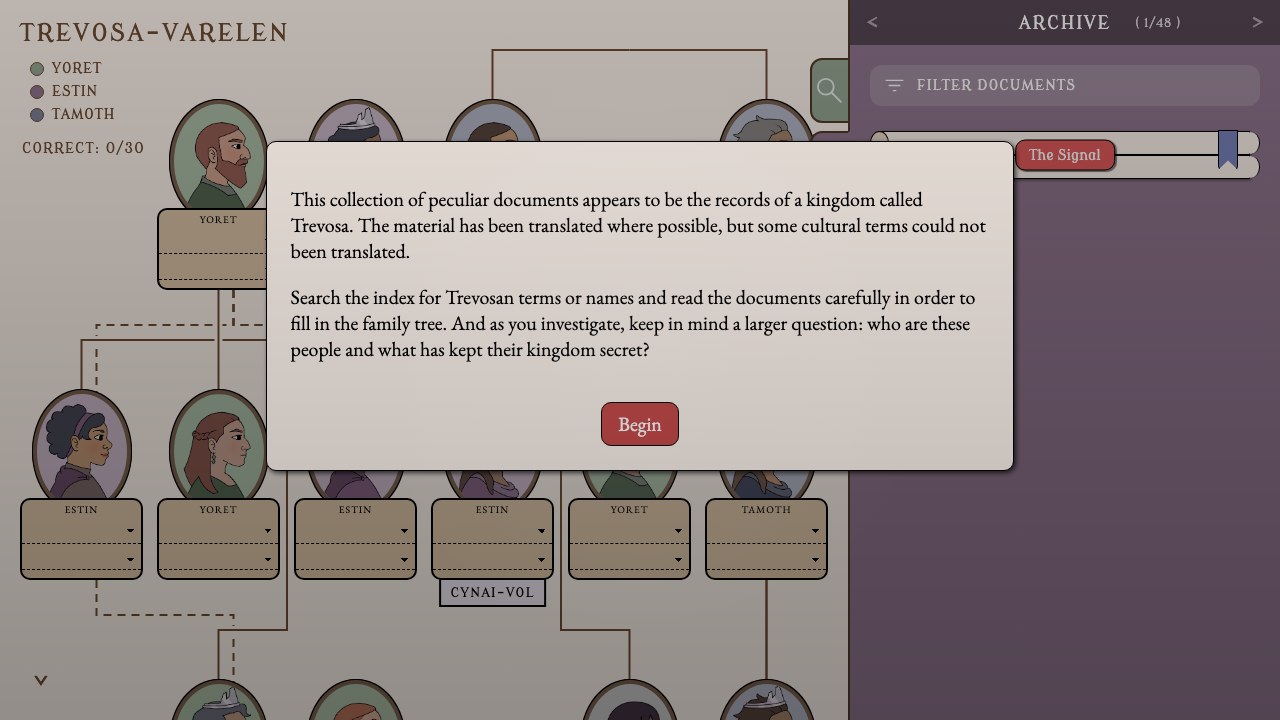
The Archives of Trevosa is a browser-based narrative deduction game about recovering a royal genealogy from translated records. The workspace keeps a seven-generation family tree visible beside an archive interface, so reading and solving happen together rather than in separate story and puzzle screens. Thirty portraits must eventually receive the right identity and, where the slot requires one, the right title.
The records are not arranged as a linear story. Letters, decrees, journals, birth records, war reports, and translator notes refer to people through names, offices, family language, and Trevosan cultural terms. Progress comes from connecting those references across documents. This guide explains the investigation systems and a reliable solving process, but deliberately does not publish a completed tree or the identity of the true heir.
The mirrored version is the improved post-jam build of a game originally made in 72 hours for Ludum Dare 59. Its post-jam changes include more helpful early validation, search ordering, an optional undiscovered-document count, and local saving. Those additions reduce clerical friction, but they do not replace the central work of interpreting evidence.
How The Archives of Trevosa Works
- Begin by reading the introduction and orienting yourself to the split workspace. The left side is the Trevosa-varelen family tree. The right side contains Search, Archive, Notes, and Settings. Keep both sides in view: a clue is useful only when you can connect it to a generation, branch, person, or office.
- Use the Search index to discover records. Click highlighted terms inside documents or type a name, title, or compound term into the search field. Search returns only the first three indexed matches, so a broad word may hide later records. Refine broad queries with a specific personal name, family element, office, or unusual phrase.
- Read discovered documents in the Archive, record provisional interpretations in Notes, and bookmark records that establish an important relationship or title. Enter a person in the tree only after at least two compatible clues support the placement. Then use the Correct counter and positive validation popups as confirmation of a batch, not as an individual wrong-answer detector.
Controls
- Mouse or pointer: Select tabs, open documents, click searchable terms, set bookmarks, choose names and titles, navigate the tree, and use settings buttons.
- Keyboard text input: Type queries in Search, filter discovered text in Archive, and write working notes in the Notes field.
Archive and Deduction Systems
Search index
Indexed search discovers records but exposes only the first three matches. Specific queries are therefore more productive than repeatedly entering a common cultural term.
Archive filter
Archive filtering searches the text of records you have already discovered. Use it to relocate a phrase or compare references without confusing filtering with discovery.
Notes and bookmarks
The Notes tab stores your own working text, while colored bookmarks mark records worth revisiting. Use separate bookmark colors for relationships, offices, chronology, and unresolved translation questions.
Tree entry
Portrait slots use identity selectors and, where relevant, title selectors. A plausible name with the wrong office is not a complete solution, and an unsupported title can block validation.
Batch validation
The opening correct member receives quick confirmation, the next two are checked together, and later progress returns to groups of three. A silent entry may be wrong or may simply be waiting for the rest of its validation batch.
Local progress
The build stores progress in local browser storage in supported non-Safari browsers. The first-party page says embedded Safari does not allow this storage, so this page does not promise persistence after Safari closes. Settings provides Clear saved data where storage is available.
The Archives of Trevosa Beginner Guide and Puzzle Systems Guide
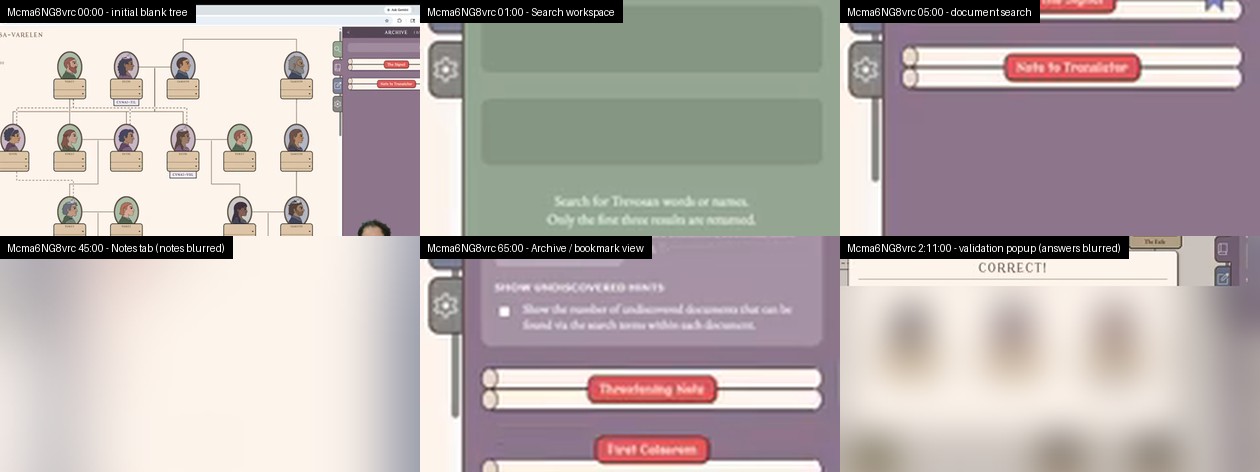
Based on the local archive code and data, the developer description and post-jam notes, and reviewed frames from a matching complete playthrough. Identity and title answers remain intentionally undisclosed.
Guide Overview
A productive investigation alternates between discovery, interpretation, and testing. Search reveals records; records define people, relationships, events, and culturally specific language; the tree tests whether those facts form a consistent genealogy. Spending too long in only one mode creates avoidable confusion.
The following workflow is spoiler-light. It explains how to manage evidence and recover from a stalled batch without giving a slot-by-slot family solution. Names and titles should emerge from your own reading of the archive.
1. Search the archive with a question
Begin with the opening records, then turn each uncertainty into a query. If a document names an office but not its holder, search the office. If a translator note highlights an unfamiliar relationship term, click it and inspect the first three indexed matches. A question-led search produces a chain of evidence; opening records without a purpose produces a pile.
When a common term returns three unhelpful results, narrow it. Pair the term mentally with a family element, event, location, personal name, or unusual compound from the surrounding sentence. The search limit is part of the puzzle design, so specificity is a solving skill rather than a workaround.
Warning: Do not assume the visible three results are the complete archive for that word.
2. Build a terms ledger before a family chart
Use Notes to separate literal observations from interpretations. Record where a term appears, who uses it, the apparent generation, and whether the context concerns blood relation, marriage, rank, duty, or succession. Trevosan vocabulary may carry cultural distinctions that do not collapse neatly into one English label.
A compact ledger prevents circular reasoning. For example, write “term appears between older speaker and younger named person” rather than immediately translating it as “parent.” Add the stronger interpretation only after another record supports the same direction.
Warning: Treat translation as evidence with confidence levels, not as a fixed glossary supplied by the game.
3. Use Notes and bookmarks as different tools
Notes should hold your current model: chronology, possible marriages, office succession, and unresolved contradictions. Bookmarks should return you to primary evidence. Assign colors by function, such as relationship proof, title history, event chronology, and records that challenge your current theory.
This division makes revision faster. When a batch fails to validate, you can inspect the two or three records that justified the entries instead of rereading every discovered document. Archive filtering then helps locate a remembered phrase across the material already found.
Warning: A bookmark without a short note about why it matters becomes difficult to use late in the investigation.
4. Enter the strongest tree facts first
Start with placements supported by explicit names, clear generation language, or a title tied to a known event. Then extend outward one relationship at a time. Keep identity and office as separate claims because a slot that requires both will not validate from the correct person paired with the wrong title.
Delay ambiguous spouses, heirs, and repeated offices until chronology resolves them. The seven-generation layout provides constraints: an otherwise plausible relationship can still be impossible if it places connected people in incompatible generations.
Warning: Do not complete a whole branch from aesthetic symmetry or from one dramatic document.
5. Validate in controlled batches
After the opening confirmation, expect later entries to be checked in groups. Before filling the next group, label each planned selection as high, medium, or low confidence. Submit the highest-confidence combination first and note exactly which entries were part of that attempt.
A Correct popup means the current group is accepted and those solved entries stop being editable. The counter measures confirmed portraits out of thirty. It is useful feedback, but it does not explain which individual selection in an unconfirmed group is responsible for the silence.
Warning: Changing several uncertain names and titles at once destroys information about which hypothesis improved the batch.
6. Recover when progress stalls
If a batch remains silent, restore the last fully justified state. Recheck whether every required title selector is set, whether two people with similar roles were separated by chronology, and whether a translated relationship was assumed too narrowly. Then change one low-confidence claim and test again.
If no current tree change helps, return to discovery. Search an unresolved proper noun, compound term, historical event, or office associated with the disputed branch. Also check the optional undiscovered-document count when available; it can show that a record still contains links you have not followed.
Warning: Brute-forcing selectors can eventually produce confirmation, but it obscures the narrative logic and makes later deductions harder to audit.
Reviewed Play Evidence
Common Beginner Mistakes
- Do not treat every culturally specific term as a direct one-word English translation. Record the context in which a term appears before deciding whether it names kinship, status, duty, or something more situational.
- Do not fill an entire branch because one document makes the arrangement feel likely. Separate confirmed facts from hypotheses, and wait for chronology or a second relationship statement before committing uncertain selectors.
- Do not interpret silence as a precise error message. The validation system confirms groups, so changing a correct entry while another slot in the batch is wrong can erase useful progress.
- Do not search only surnames or common titles. The three-result search limit rewards unusual compounds, personal names, event names, and phrases that appear in a translator note or historical record.
- Do not keep every clue in memory. A short note such as “office held before war” or “parent named indirectly” is easier to test later than a vague recollection of a long document.
Browser Notes
Play over HTTP in a modern browser and click Begin before expecting music or interface interaction. Background audio starts after user input because the build handles browser autoplay restrictions. Settings includes mute and volume controls.
Search, Archive filtering, and Notes all depend on keyboard text input, while the tree and archive navigation use a pointer. Supported non-Safari browsers can use local browser storage on that profile. The developer says embedded Safari does not allow that storage, so progress after closing Safari is not promised. Cloud synchronization, mobile optimization, and reliable touch usability were not established.
Game Credits
- Marcus: design, writing, and music.
- Bucktown: design and writing.
- Celia: design, code, and UI.
- Rose: art.
Credits & Fan Site Disclaimer
This is an unofficial fan-operated page created to explain the archive interface and deduction method without publishing the central genealogy answers. It is not affiliated with, endorsed by, or sponsored by the creators.
The Archives of Trevosa itself is an original game by its credited development team. Calling this page fan-operated describes this website, not the game.
The Archives of Trevosa FAQ
Is this a complete family tree answer for The Archives of Trevosa?
No. The guide explains search, note-taking, tree entry, validation, and stuck recovery without revealing every identity, title, or the true heir.
Why does Search show only three results?
The indexed search intentionally returns the first three matches. Use a more specific name, compound term, office, or event phrase to reveal records hidden behind common queries.
Why did a tree entry receive no feedback?
Most entries are confirmed in batches. Silence can mean the selection is wrong, but it can also mean the current validation group is incomplete.
Can I keep notes inside the game?
Yes. The right pane includes a Notes tab, and discovered records can also be marked with colored bookmarks for later comparison.
Does Trevosa save progress?
In supported non-Safari browsers, the build uses local browser storage. The developer says embedded Safari does not allow that storage, so this page does not promise that progress persists after Safari closes. Clearing site data or choosing Clear saved data removes local state where storage is available.